
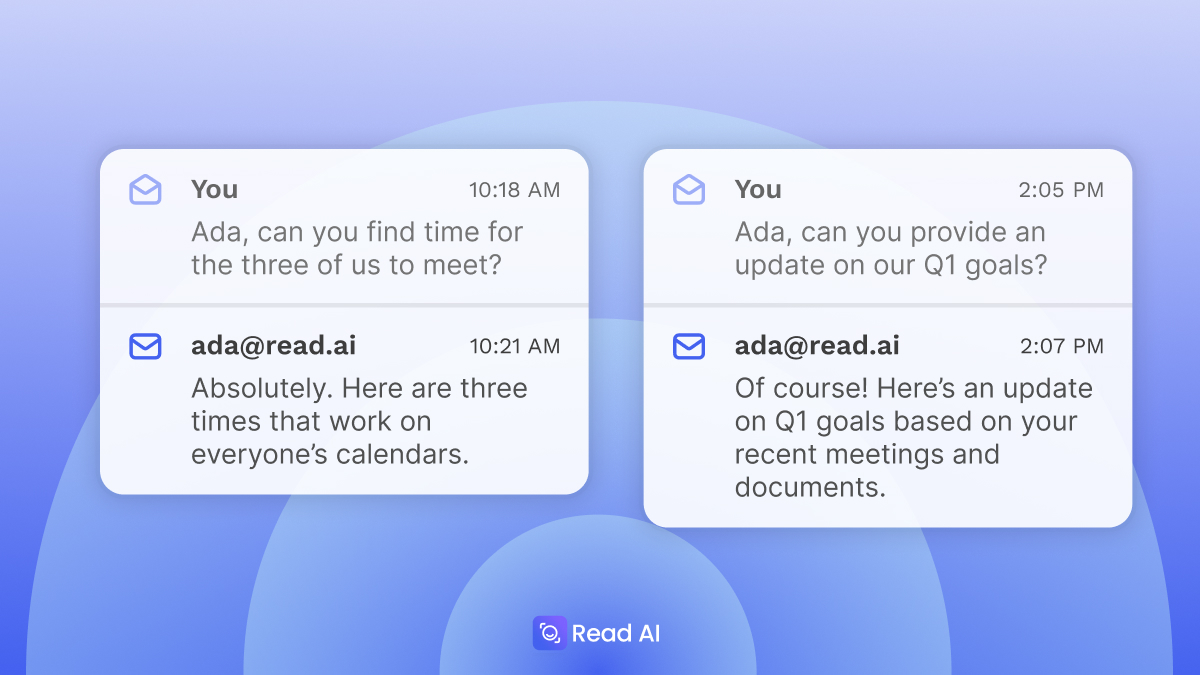
Read AI introduces Digital Twin, an AI that works on your behalf, even when you can't. Just cc: ada@read.ai on any email, and Ada Aiken handles scheduling, answers questions, and keeps work moving forward by drawing on everything you've shared with Read AI.
“In the very near future, access to a Digital Twin is set to be human right, akin to internet access,” said David Shim, Co-Founder and CEO of ReadAI. “This isn’t an AI assistant, this isn’t a chatbot, Digital Twin is an extension of you, learning from you, with the goal of amplifying your impact.”
ada@read.ai is set to rollout to all Read AI's 5MM+ monthly active users on day 1, representing the largest deployment of a digital twin, ever. Digital Twin will launch as a free service to all existing and new users of ReadAI.
"Digital Twin amplifies the original, letting them be at two, three, four places at once," said David Shim, Co-Founder and CEO at Read AI. "Rather than introducing another chat option, we wanted to build on existing workflows and email was the most obvious choice. If you use email, you now have a Digital Twin with ada@read.ai.”
You stay in control as Ada always sidebars with you before responding to a non-scheduling question, giving you a chance to review, edit, or approve anything before it goes out. Ada requires that you be included on the email string whenever taking an action. Your Digital Twin isn’t another AI assistant, or an AI agent, it is a member of your team that you mentor and you nurture to deliver against what’s most important to you.
Digital Twin extends Search Copilot by bringing your stored intelligence and agentic tools directly into your inbox, drawing from 20+ native integrations that represent on average: 10K documents or 35.7M tokens. The more integrations you enable, the better the responses. It supports over 20 languages, and can access your context as well as the context of the internet, and works for you 24/7.
When you are out of office or offline for the day, your Digital Twin proactively does the work, but like a direct report, checks in with you before it hits send. Digital Twin allows the employee to be in two places at one time, while keeping the business moving forward (rather than on pause waiting for their return).
On an extended vacation, or medical leave, don't leave your team behind, rather keep things moving forward with Digital Twin. When you are out, the team doesn't need to hunt and peck to gain understanding, rather ada@read.ai keeps things moving forward and productive.
“Digital Twin amplifies the work you've already done. It learns from your meetings, emails, and decisions, then extends your reach when you're unavailable while you retain full control over what goes out. The twin doesn't get the credit. You do,” said Shim.
Digital Twin is available globally starting today. Just email ada@read.ai and say "Get me started." Ada will take it from there.
For enterprise customers with managed workspaces, the Digital Twin can be branded with a custom name and company domain.
Ada Aiken will be available to all 5MM MAUs of Read AI as a free service. In addition, anyone can enable Ada by emailing ada@read.ai. This is set to be the largest deployment of a digital twin in history.
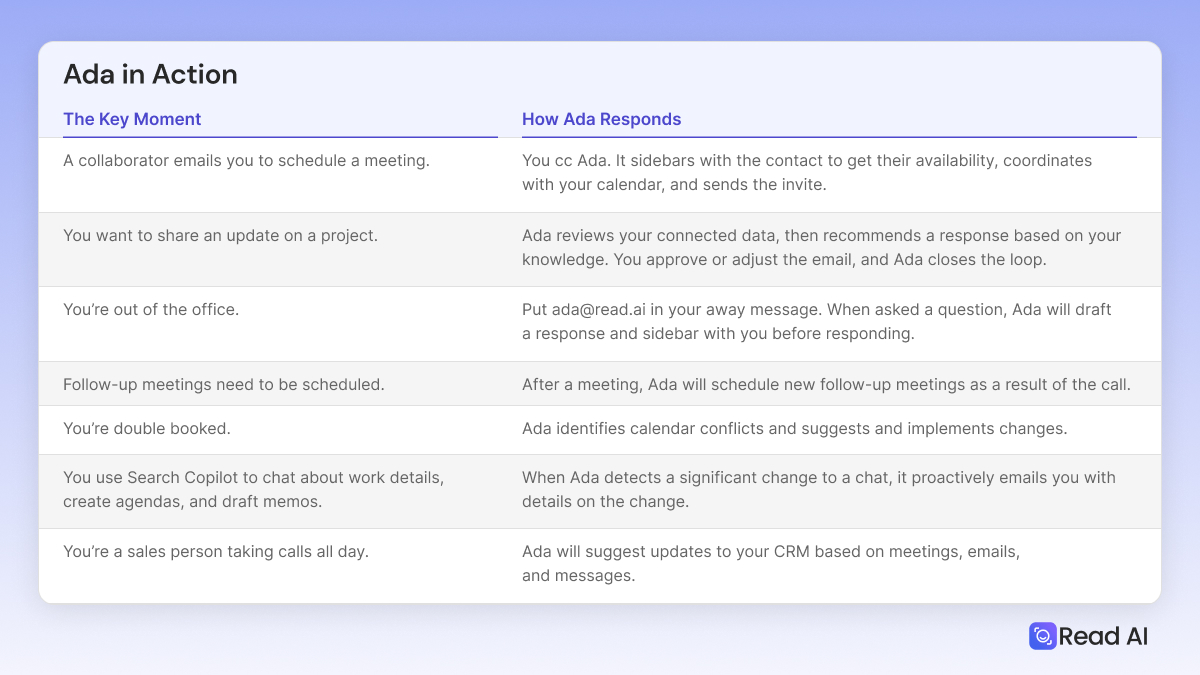
Step 1: Add ada@read.ai to any email string, and it will act as your executive assistant that knows your availability and preferences.
Step 2: If you don’t already have an account, Ada will reach out to you directly to get you set up (required to understand your availability)
Step 3: Ada will propose a few times with participants on the string, and work with them to find a time that works based on your availability and preferences.
On average, knowledge workers spend up to 8 hours a week coordinating meetings, now it's less than a minute per meeting. While you are asleep, ada@read.ai can schedule meetings with colleagues, clients, and prospects with an automatic awareness of availability and time zones.
Digital Twins aren't limited to scheduling, they act as your proxy whenever you need it. By accessing your system of record of productivity, Read AI can access your meetings, email, messages, files, CRMs, to deliver an answer to any question. It isn't just an answer, rather it reflects your voice, priorities, and interests.
Step 1: Add ada@read.ai to any email string, and request it to participate in the conversation.
Step 2: If you don’t already have an account, Ada will reach out to you directly to get you set up. The more context accessible to Read AI, the better the response will be from Ada.
Step 3: Ada will answer any question or request in the email string directed to it. With most responses, Ada will sidebar with you to propose a draft. You can collaborate with Ada to refine a response before approving it for distribution.
Step 4: As the conversation continues on the email string, Ada will monitor, and only participate when it naturally makes sense.
Assign ada@read.ai any tasks or questions. It has access to your organization's knowledge and can pull from the public internet to layer in customer trends or competitor news.
Step 1: Create an account on read.ai, connect sources that act as context for coverage.
Step 2: In your OOO response, cc: ada@read.ai, or include in your auto-response direction to cc: ada@read.ai with any follow-up questions.
Step 3: When asked a question, Ada will draft a response based on access to your storage of intelligence, and sidebar with you before responding.
Step 4: Once you approve the response, Ada will reply to the thread, answering the question.
“Digital Twin lets employees fully disconnect on vacation while preserving 50% of the productivity typically lost during absences, saving $6,000 per employee annually," said Shim. "Workflow disruptions when people are out become a thing of the past."


%2C%20Color%3DOriginal.png)


