
Say your team just finished a sprint planning session. You discussed a new API endpoint, agreed on the request/response schema, and talked through edge cases. You open your editor, try to remember exactly what was decided, and start translating conversation into code from memory.
What if you didn't have to?
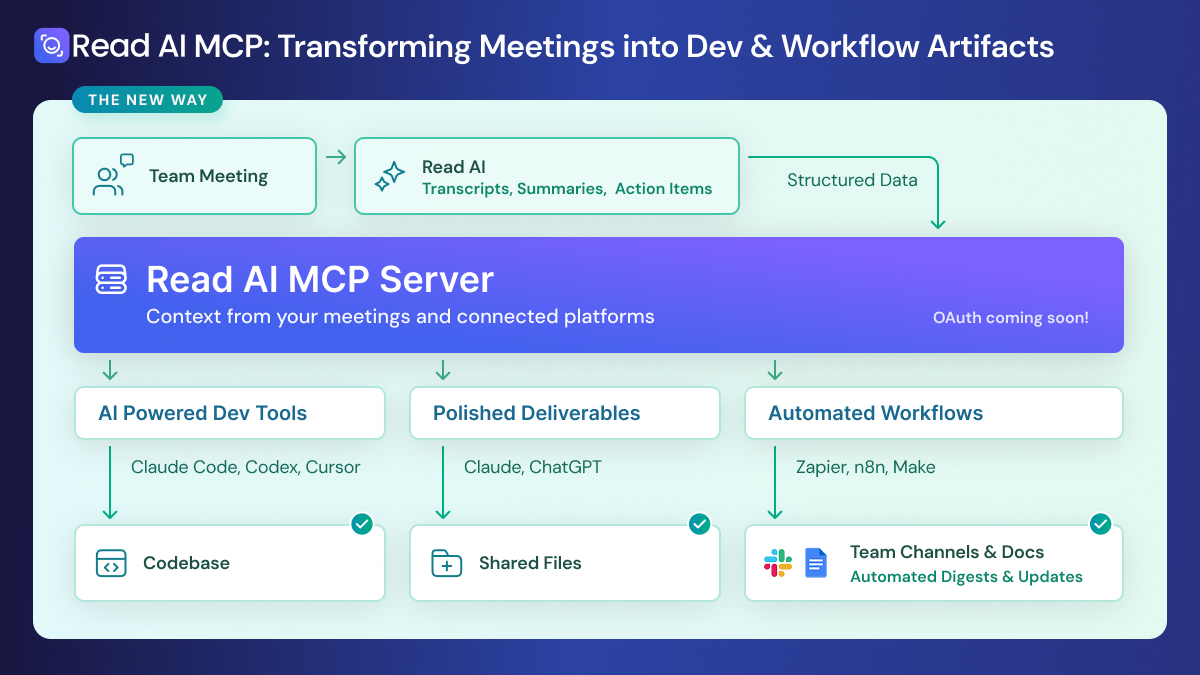
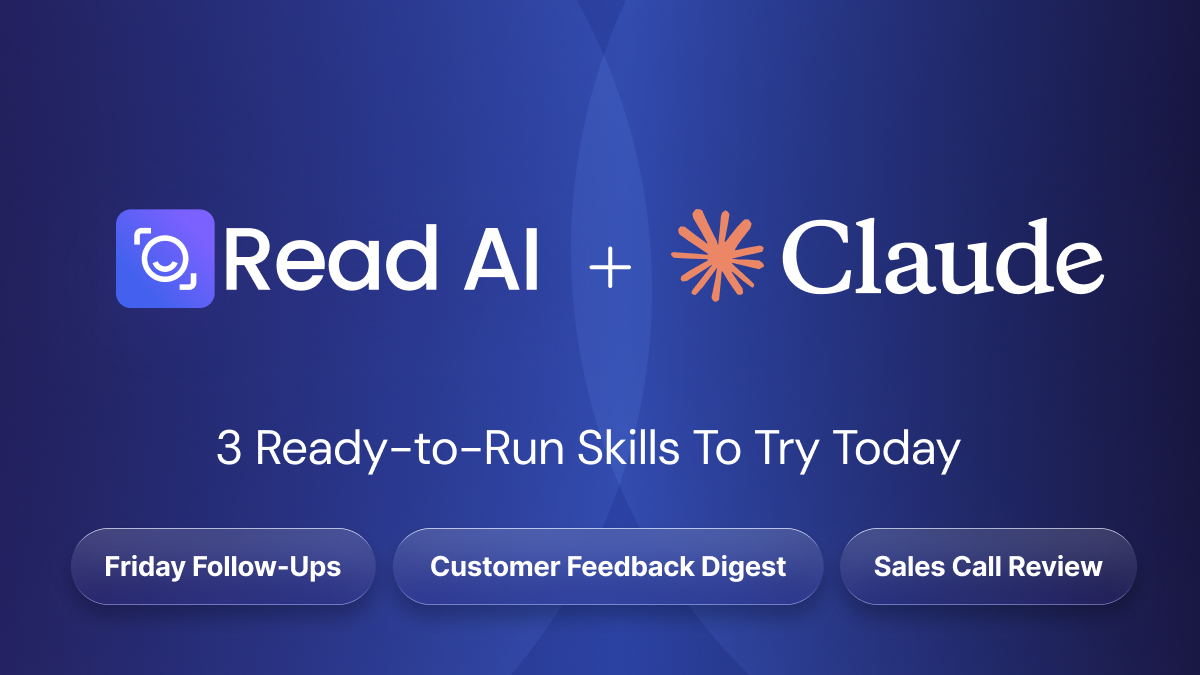
Read AI's new Model Context Protocol (MCP) server and API lets you pipe your meeting transcripts, summaries, and action items directly into AI-powered development tools like Claude Code, Cursor, and VS Code. That means you can ask these tools to do something like:
"Pull the transcript from today's sprint planning meeting and generate the FastAPI endpoint we discussed, including the validation logic and error handling the team agreed on."
The AI tool calls Read AI's MCP server, retrieves the transcript, and uses the full context of your conversation - not a vague summary, but the actual discussion - to generate code that reflects what your team decided. It captures the nuances: the edge case someone raised at minute 32, the naming convention the tech lead insisted on, the scope limitation the PM flagged.
This enables developers to focus on ensuring the implementation is sound, instead of worrying about the lossy translation step between "what we agreed on" and "what gets built."
Read AI's MCP server exposes your meeting data through a set of tools that any MCP-compatible client can call. At launch, the core tools include listing your available sessions and retrieving transcripts by session with more data types (action items, summaries, engagement metrics) following closely behind.
The server uses the Streamable HTTP transport, so it works seamlessly with remote MCP clients. Authorization is handled through OAuth, meaning you authenticate once and your AI tools can securely access your meeting data without exposing API keys in config files. And because the MCP server is also a full FastAPI server, every tool is accessible via standard HTTP endpoints too so even if your workflow doesn't use MCP yet, you can still integrate programmatically through a familiar REST interface.
To get started, point your MCP client at https://api.read.ai/mcp/, enter your username and password, and you're connected. From there, any AI tool with MCP support can query your meetings as naturally as it queries a codebase or a database.
To learn more you can read our documentation here.
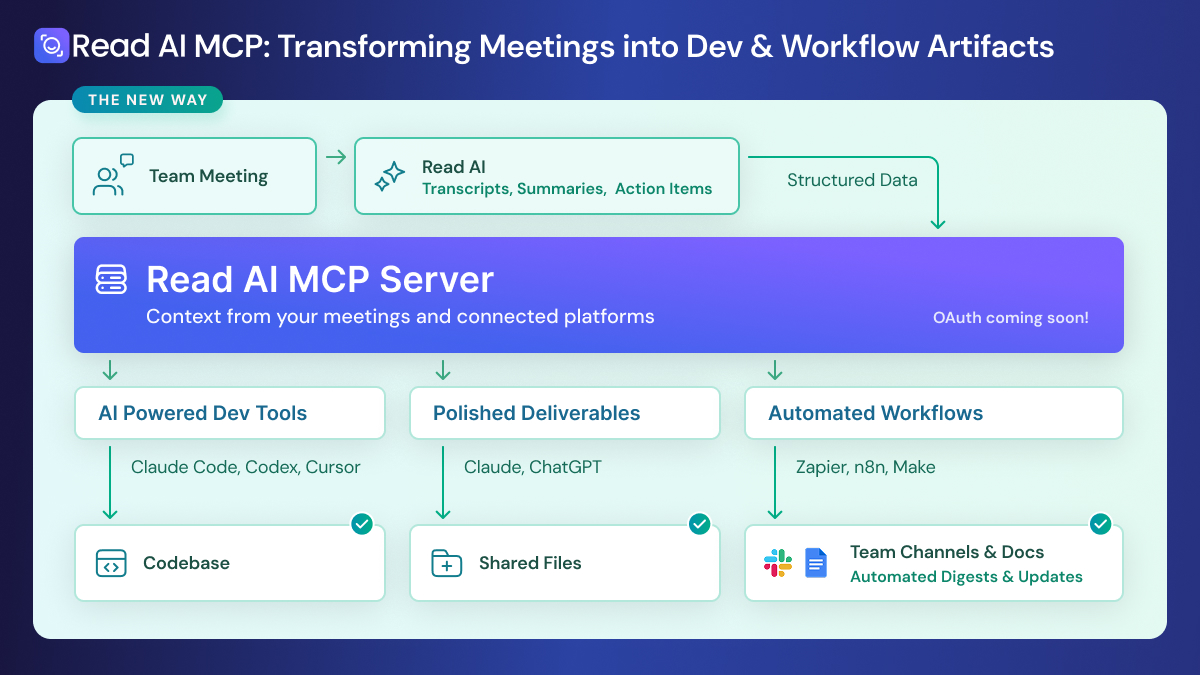
The meeting-to-code workflow is the headline, but once your meeting data is accessible through MCP, the possibilities open up quickly.
Turn meetings into polished deliverables. Connect Read AI's MCP server to a tool like Claude Cowork and your meetings can produce real artifacts: a formatted slide deck recapping a client call, a Word doc summarizing a project kickoff, or a spreadsheet tracking commitments made across a series of planning sessions. Not a chat response you copy-paste. An actual file, ready to share.
Build automated workflows. Because the MCP server is also accessible via standard REST API endpoints, you can wire it into automation platforms like n8n, Zapier, or Make. Set up a weekly pipeline that pulls all your meetings from the past seven days, synthesizes decisions and open items across them, and drops a formatted digest into a shared Slack channel or Google Doc no one has to lift a finger.
We're at an inflection point in how AI tools interact with workplace data. The old model: copy-paste context into a chat window, or manually export data for an AI to process doesn't scale. MCP changes that equation by making data access a first-class capability of AI tools rather than an afterthought.
Meeting transcripts are some of the richest, most underutilized data in any organization. They capture decisions, rationale, context, disagreements, and commitments in a way that no other artifact does. Making that data programmatically accessible to AI tools isn't just a convenience, it's a fundamental shift in how teams can move from discussion to execution.
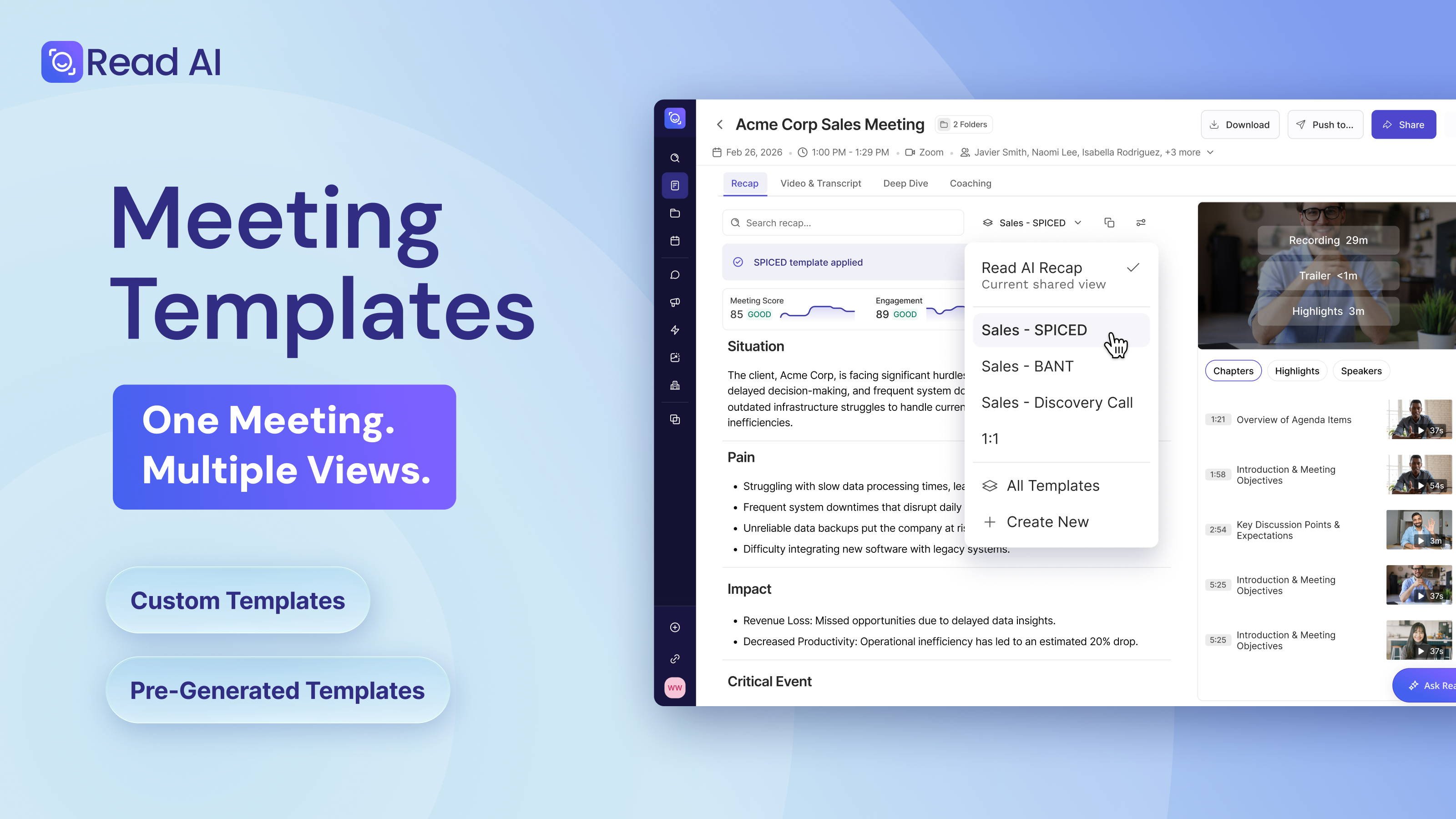
Alongside the launch of our own MCP server, we’re also the first and only meeting notetaker to launch with Slack’s API and MCP rollout. Read AI for Slack allows users to post all meeting notes directly to Slack, bringing the experience of Read AI right into your daily flow. Now with Real-Time Search, users can also chat with all of your connected data, enabling instant, compliant searching across all meetings and connected platforms directly from within Slack.
For developers who want to engage directly with Read via API, we’ve also launched this capability. For more details, go here.
Read AI's MCP server is available now, with support for OAuth coming soon. If you're already using an MCP-compatible tool like Claude Code or Cursor, you can connect in minutes. Visit our developer documentation to set up the connection and start turning your meetings into action.
Your best meetings shouldn't end when the call does. Now they don't have to.


%2C%20Color%3DOriginal.png)


