It’s January and time to move quickly: For every teammate, staying organized is a key enabler of speed, focus, and execution. No one wants wasted time!
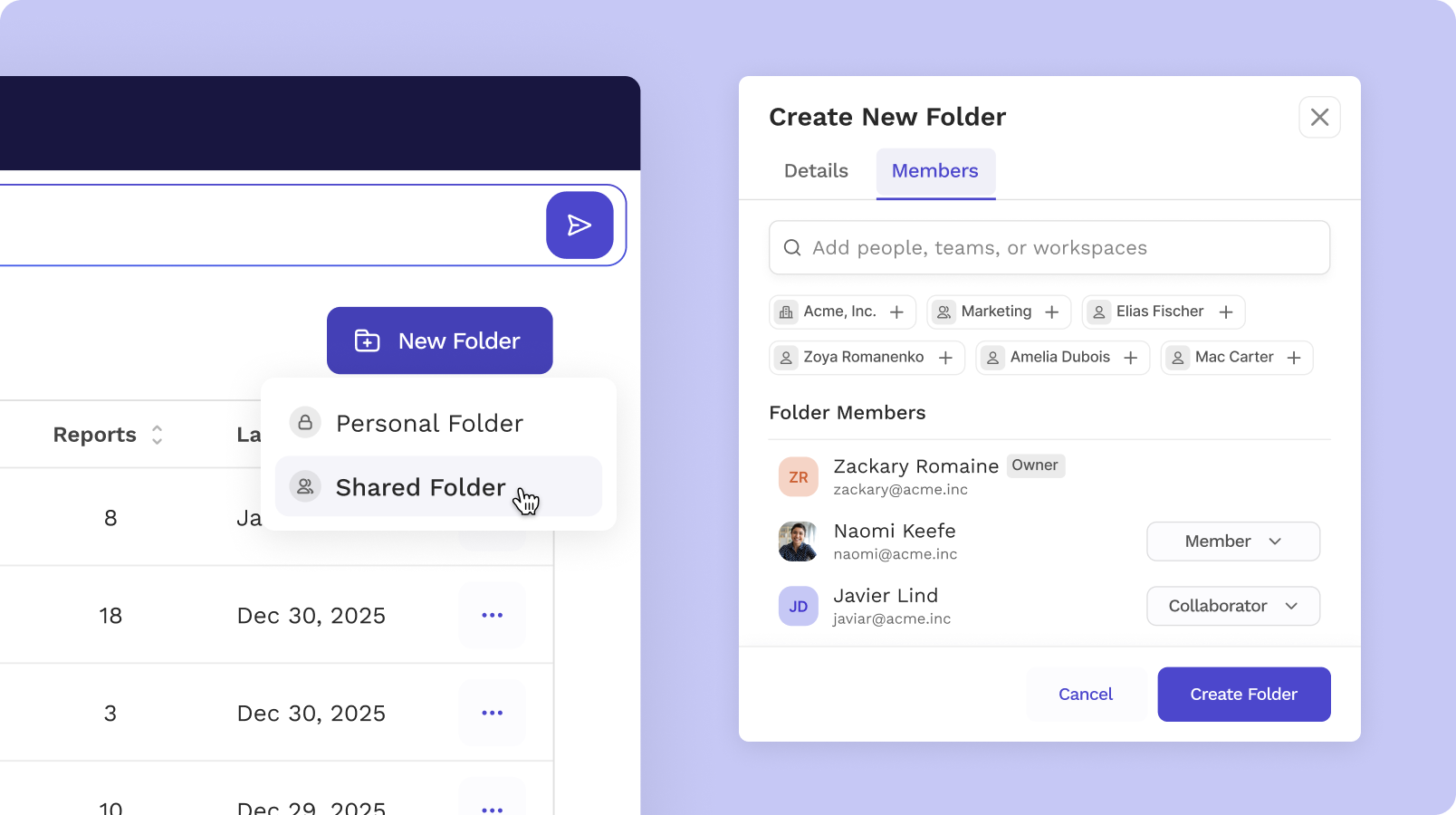
Now with shared folders, you can give your partners and collaborators access to groups of meeting reports all at once.
Here’s what’s possible with Shared Folders:
- New initiative underway? Include all related meetings in one place, and get new collaborators up to speed quickly.
- New sales motion? Put all your discovery calls into one folder, and track themes over time from customers.
- Searching to fill a new role? Put all the candidate meetings in one folder to share with key stakeholders.
- Want to get your team aligned? Make sure all your team meetings are in one place, for easy access.
Simply create a new folder or convert an existing one, and increase visibility with one click.
What’s New
- Shared knowledge, instantly accessible: Turn any folder into a shared source of truth. Add teammates once and then drop new meetings after they happen. No manual forwarding or follow-ups required.
- Centralized access and permission management: Manage visibility at the folder level instead of individual meeting reports. When projects or roles change, a quick folder update keeps everything clean and consistent.
- Faster onboarding and smoother handoffs: New hires, hiring teams, and customer-facing teams can instantly review the full history behind their work, reducing ramp time and preserving context.
- Folder-based insights with Ask Read: Ask Read questions within a folder to get answers drawn only from the most relevant meetings—making it easier to spot themes, decisions, and insights that matter.
How to Get Started
Create a shared folder for your team or convert an existing folder by choosing “edit folder” from the overflow (three dot) menu. All reports that you own or have editor access rights can be included in a shared folder.
Try Shared Folders Today.




%2C%20Color%3DOriginal.png)


