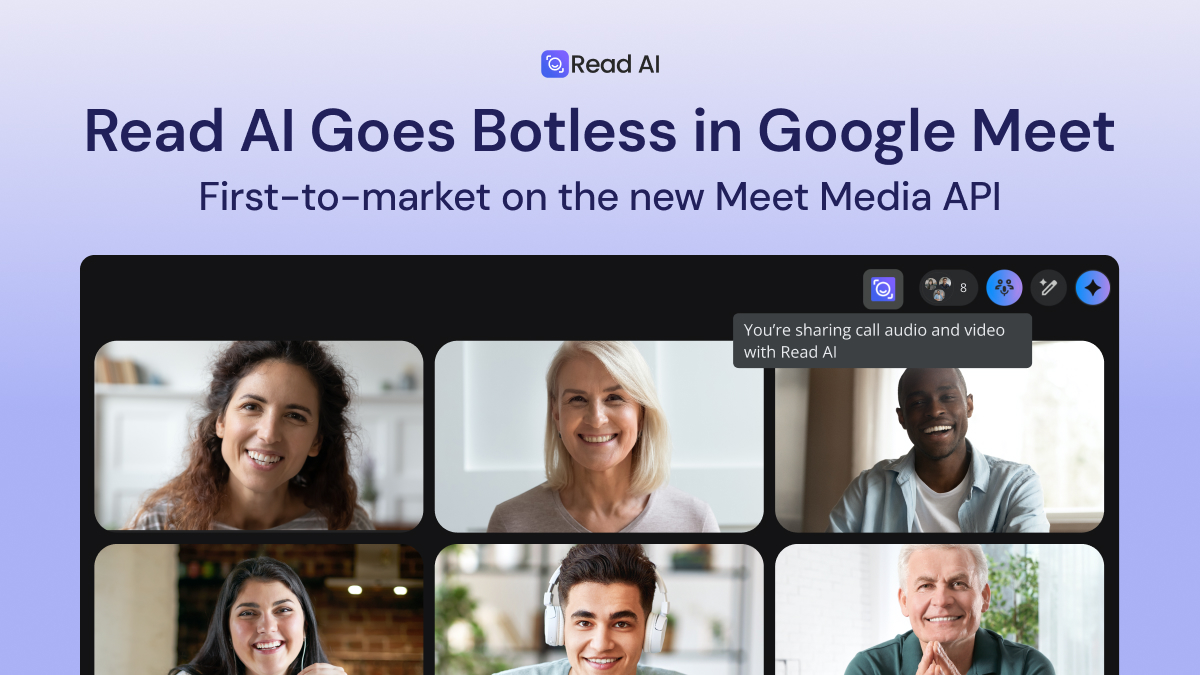
Read AI is now the best option for notetaking in Google Meet, after it was the first in the world to build and launch on the new Meet Media API. The botless version is available for free for all new and existing customers with a simple update.
By working directly with Google and using the latest API from Google Meet, Read AI customers uniquely experience meetings in Google Meet without a notetaking bot taking up screen space. The notification of meeting measurement occurs before the recording begins to solicit consent.
“We’re excited about the opportunity from Google to be the first-to-market with a native integration with Meet,” says Co-Founder and CEO David Shim. “Read AI is committed to building on Google the right way, with a botless option and transparent opt-in. These features have been live for the past six months, and consumers and enterprises love it.”
The upgrades simplify and improve the experience while always asking for consent. Read AI now also delivers the highest-quality audio and video feeds, enhancing the entire meeting experience from the live meeting through post-meeting recap and review. And with automatic joining for unscheduled Meet sessions rolling out to customers now, all important conversations are captured and incorporated into users’ workflows, enabling Read AI's proactive actions and skills that act autonomously. For customers who prefer to record locally or to the cloud without a bot, Read AI also offers desktop and mobile apps on all platforms.
Read AI is already the leading independent notetaker and AI assistant on Google, with add-ons for the entire workflow:
- With Read AI’s Google Chrome Extension, customers get automatic meeting detection so ad-hoc meetings are recorded; Smart Meeting Scheduling, to easily find convenient time slots that promote engagement and focus time; and personalized recommendations on pressing work and next steps that improve with learning and memory.
- Read AI for Android records meetings and interactions in the real world and allows customers to search while on the go (4.8 stars).
- Ada, Read AI’s Digital Twin, works in Gmail to handle scheduling, answer questions, and follow up on tasks. Ada can support a range of everyday workflows, including scheduling meetings, resolving calendar conflicts, sharing project updates, and following up on action items.
- Read AI’s Search Copilot creates a premium experience on top of the Google Workspace, allowing users to ask questions about the content stored within Gmail, Google Meet calls, and Google Drive files owned or shared by others (plus data in workflow software, CRM, messaging apps, and other integrations). It’s a personal ChatGPT for the Google set—with chat, history, and easy sharing—and includes access to the paid versions of Anthropic’s Claude and ChatGPT.
- Read AI’s Google Docs integration allows customers to automatically store Read AI meeting reports and notes as Google Doc files, streamlining post-meeting workflows.
All Google integrations are available for customers on the free plan. To date, Read AI has joined more than 175MM Google Meet meetings, and is on track to consume 800B tokens of Google Meet meetings by the end of the year.
How to Use Read AI in Google Meet
- Navigate to the read.ai integrations page
- Choose to “Connect” Google Meet, and grant the required permissions.
- If you have auto-join enabled, Read AI will join your next Google meeting.
- Click “Start Recording” to capture the meeting. No bots required.
- After the call, you’ll get a summary and transcript automatically.
Existing Customers: Update your Google Meet Experience (Enable Permission)



%2C%20Color%3DOriginal.png)


