

We've been working hard to keep pace with you. Read AI has enhanced its Google Docs and Microsoft OneNote integrations, added Linear support, launched a desktop app, and added shared folders. And don't miss our upcoming webinar on running effective meetings and navigating power dynamics. Register to receive a free copy of Rebecca Hinds' new book, Your Best Meeting Ever.
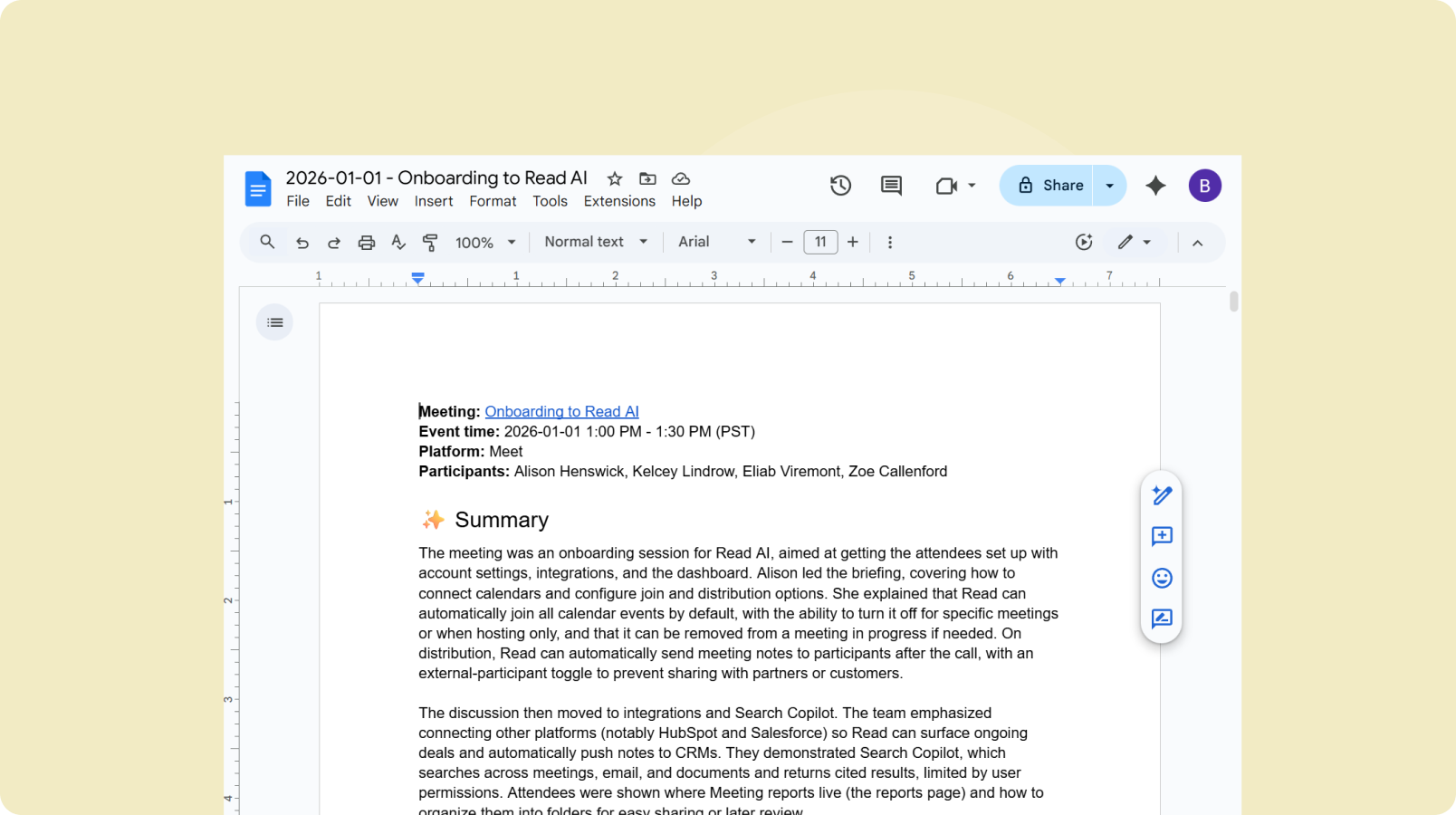
Read AI now delivers complete meeting reports directly to Google Docs and Microsoft OneNote. Your full transcript, AI-generated summary, action items, and key questions are saved to your chosen platform, making them easy to access and share.
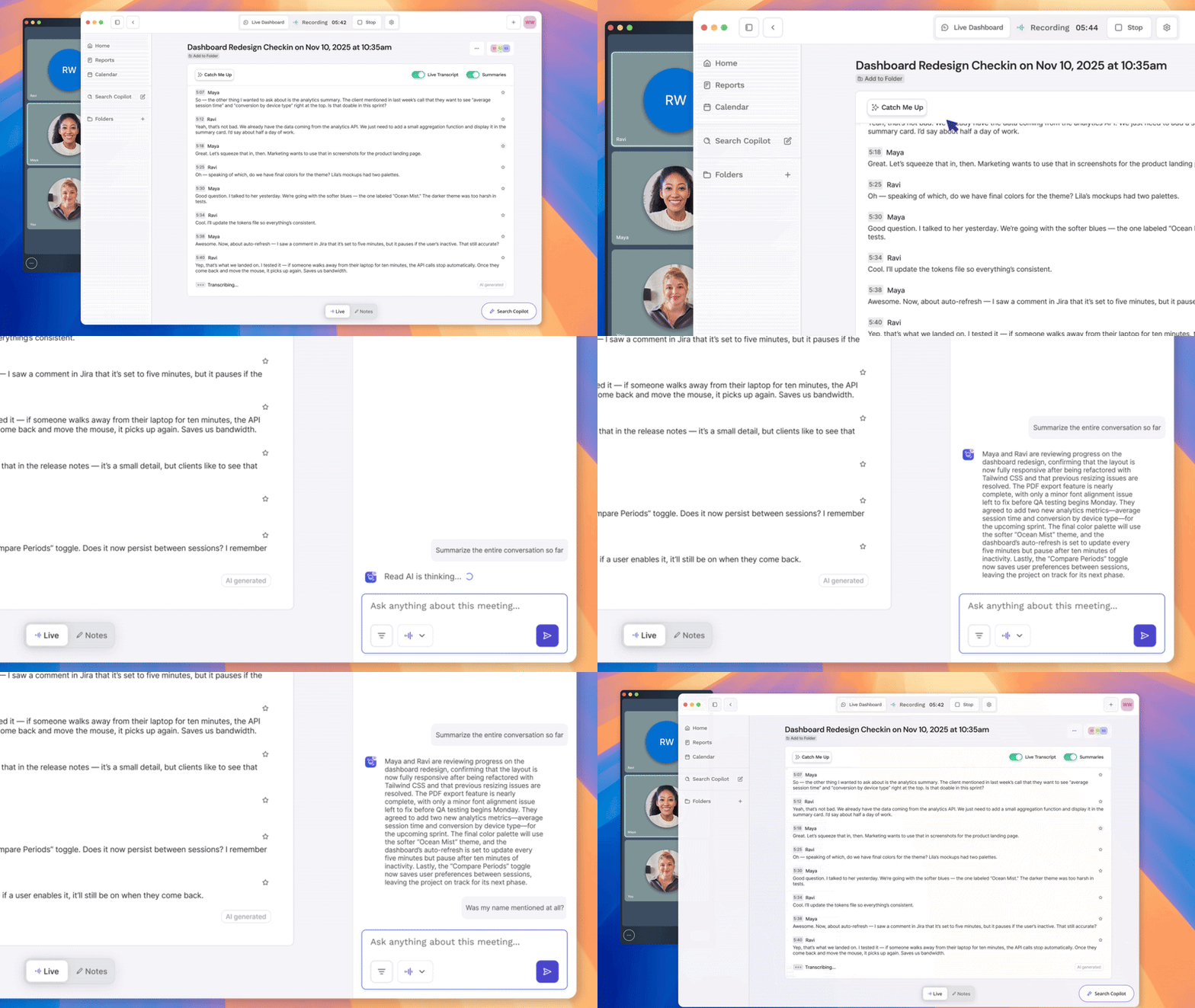
Bring Read AI to your desktop
We now have a desktop app for Mac and Windows. As part of this release, we also introduced Catch Me Up, a new feature that helps you quickly review meeting notes during the meeting so you can stay aligned and jump in with context. The desktop app offers a seamless, botless way to use Read AI wherever you work.

Shared folders give your team access to the meetings that matter, all in one place. Share a folder instead of individual reports, keep access up-to-date automatically, and use Search Copilot to quickly find insights across related meetings.
Create Your First Shared Folder
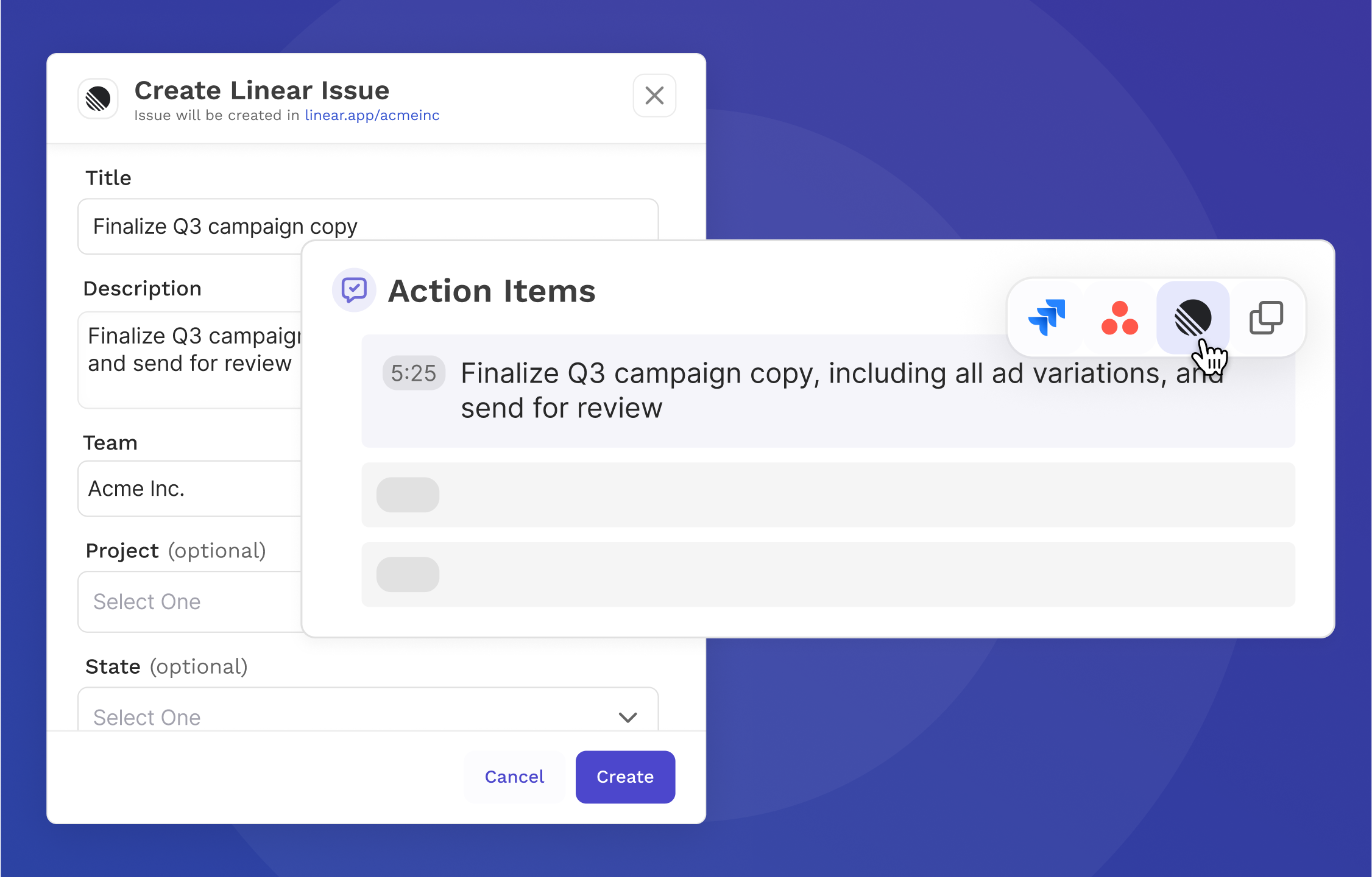
If you use Linear to manage projects, Read AI can now help move work forward faster. Read AI detects action items from meeting transcripts and summaries, then lets you review and choose which ones to send to Linear. Less copy and paste, more progress.

Read AI Webinar: Power dynamics in meetings
Power shapes meetings more than agendas. Join Rebecca Hinds, PhD, author of Your Best Meeting Ever, to learn how visibility into meeting dynamics helps teams surface better ideas and drive stronger outcomes. Grounded in insights from Read AI’s Power Dynamics in Meetings report, this session brings the research to life.
February 18, 2026 | 12:00 PM PST | Register Now
Bonus: Free copies of Rebecca's book, Your Best Meeting Ever, for the first 400 registrants. Restrictions may apply




%2C%20Color%3DOriginal.png)


