
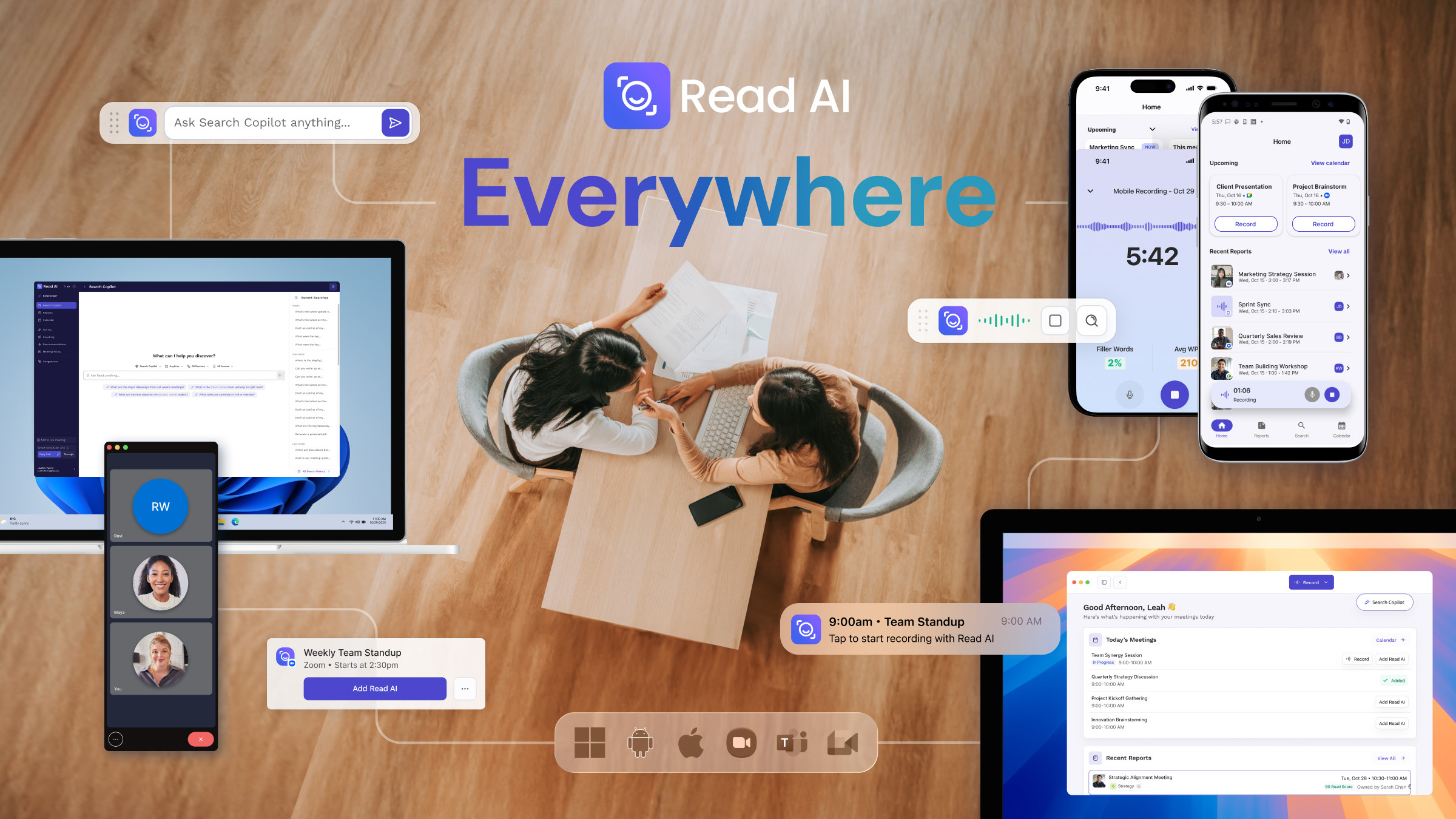
Work moves faster than ever, and critical conversations take place spontaneously and everywhere. Read AI's Operator ensures all digital, hybrid, and real-world interactions are measured with the addition of a desktop application for Windows and macOS, along with the release of the Read AI Android application joining the pre-existing iOS app.
Operator is Read AI's new cross-platform system that captures and analyzes conversations wherever they happen—from scheduled video calls to impromptu hallway discussions to email threads. Unlike traditional meeting assistants that only work with scheduled virtual meetings, Operator works across desktop (Windows and macOS), mobile (iOS and Android), and integrates with workplace tools like Gmail, Slack, and Salesforce. By connecting every interaction into a single intelligence layer, teams can surface forgotten decisions, view project status across channels, and ensure tribal knowledge becomes institutional knowledge.
“The storage of intelligence requires a multimodal workflow that's ready for every conversation regardless of platform or location," said David Shim, Co-Founder and CEO at Read AI. "Operator delivers that workflow, capturing meetings natively across any platform, regardless of whether they’re in the digital or physical world, and combines that with non-meeting content from Gmail, Outlook, Slack, Salesforce, HubSpot, Notion, and more to deliver one operator, one workflow, every interaction."
Operator was designed to extract meaningful insights from every interaction regardless of form or location. With over 24MM connected calendars to date and monthly active users that tripled in the past year, Read AI saw a macro trend away from digital meetings to in-person meetings in the last few years.
Read AI offers universal support for video conferencing including platforms like Webex, GoToMeeting, Slack Huddles, Dialpads, and all VOIP platforms through the addition of the Windows and macOS desktop app. Paired with Read AI for Android and iOS, and the storage of intelligence across messaging, cloud storage, CRM, and workflow tools via seamless connections to Gmail, Outlook, Slack, Teams, Notion, JIRA, Confluence, and Asana, Read AI delivers a world where context is enabled by default, enterprise search is available for all knowledge workers, and everyone gets the benefits of AI recommendations based on all the data.

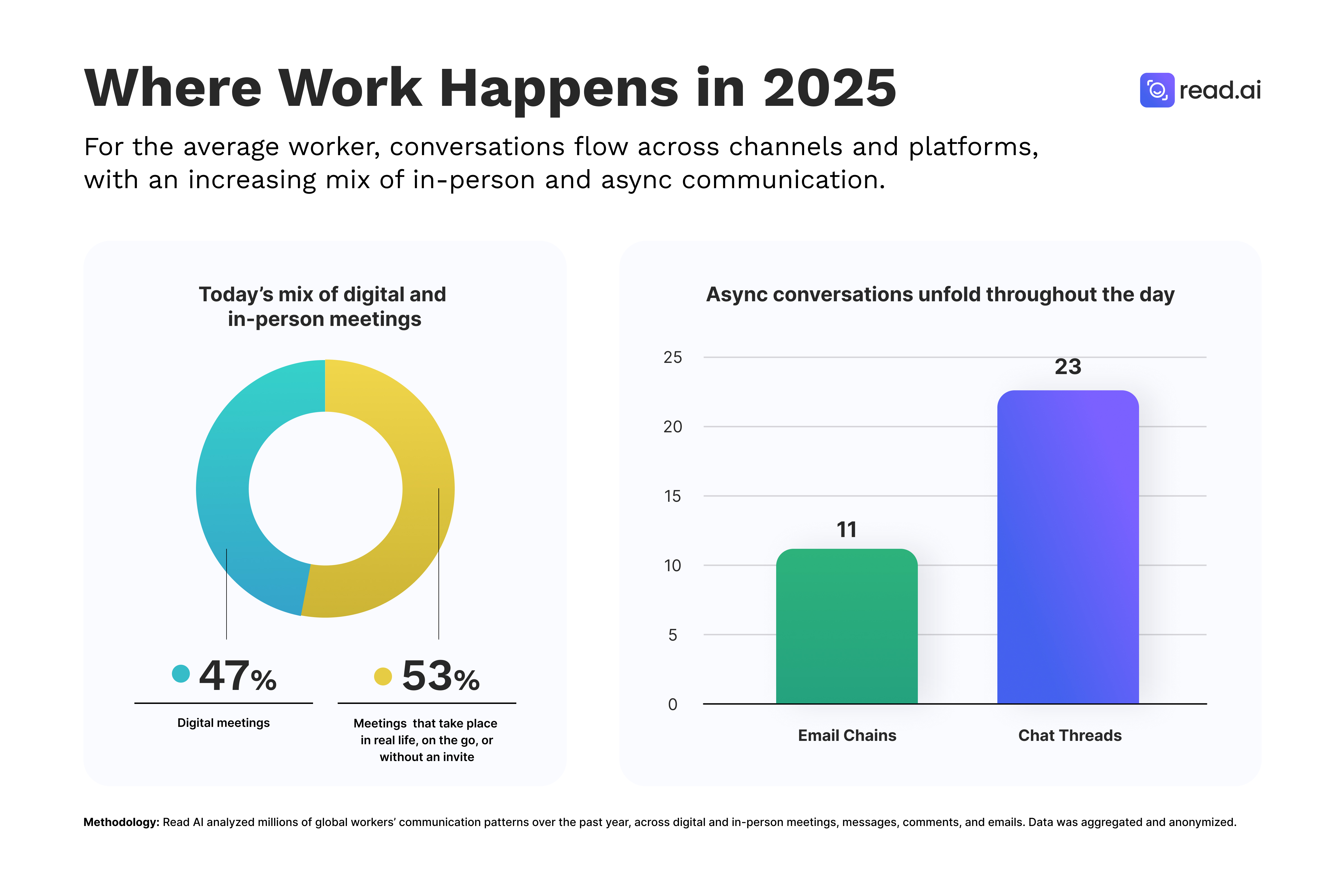
In 2023, 47% of all meetings occurred in-person or were not scheduled; this year, it’s 53%, meaning more than half of all meetings globally now happen in-person, on the go, or without a calendar invite.
“Our latest research shows that 20% of meetings are entirely impromptu, and 97% of all workday interactions happen outside of meetings entirely,” said Justin Farris, VP of Product at AI. “We set out to solve this with Read AI's desktop, iOS, and Android apps. Recording any interaction is possible with a single click, which means that every conversation is instantly made actionable.”
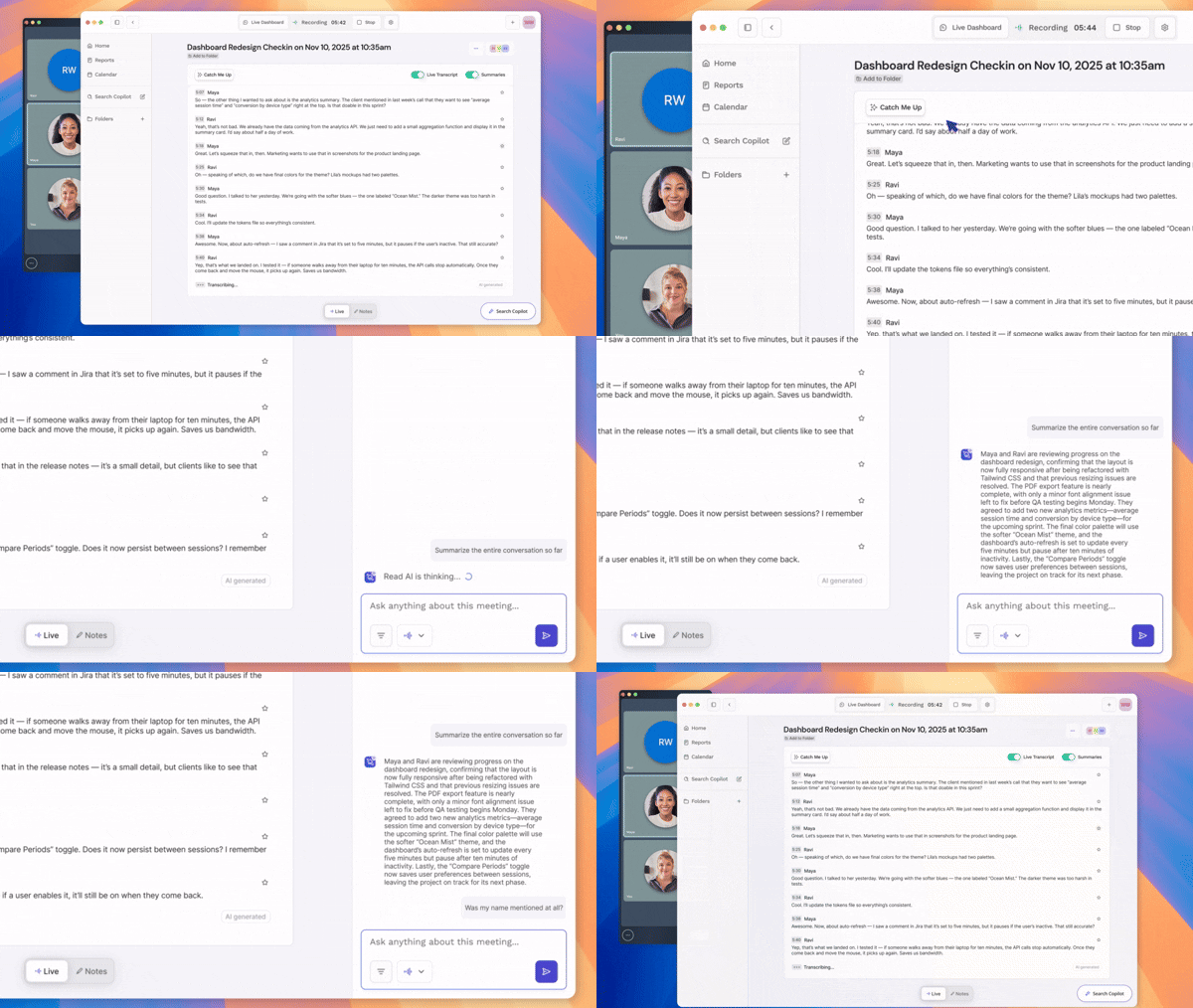
By expanding app support from iOS to Android, Read AI can measure all real-world conversations using a native phone device, and IRL conversations are easily transcribed, stored, and synthesized without requiring an AI-enabled button or necklace. Additional features include built-in background noise removal, speaker identification, and real-time transcription and summary. On the desktop app, new features include a catch-up agent, floating Ask Read tool bar, and pre-meeting notifications.

"I've used Read AI at doctor's offices, at a convention, and for networking meetings," says Tony D'Aquisto, vice president of operations at Replenex, a national distributor of safety, industrial, and MRO supplies. "I use it more than I thought I would. The summary is most helpful, and I look forward to having more easy ways to bring Read AI into my life."
"Having an app that gives me a recording and notes frees me up to listen and participate more actively, no matter what I'm doing and whether I’m in the office of the field." says Olivia Davis, senior bookkeeper at HandyPro International, a national chain of handyman and contractor services. “I can combine that intel with all my other content so that I'm taking full advantage of AI and can get more done every day."
Read AI continues its focus on privacy when recording interactions everywhere by enforcing notification whenever possible. Consistent reminders are sent to all users prior to allowing any recording to occur.
Read AI is a leading meeting notetaker and AI assistant, adding 1MM new customers every month and delivering on its mission to make every interaction better with AI. Recently named as a Top 10 AI App for Enterprises by Brex, a Top 50 AI App for Startups by a16z, and one of the largest AI companies in the world according to OpenAI, its patented, proprietary models are trusted by more than 90% of the Fortune 500. Read AI serves as the orchestration layer of modern work and an independent storage of intelligence, deploying agents that connect content, proactively surface insights, and make recommendations based on past actions.


%2C%20Color%3DOriginal.png)


